
Vector vs Raster for DTG: What You Need to Know
June 8, 2026
13 min read
Sassy Digitizing
Expert insights, industry trends, and deep dives into the worlds of professional digitizing and embroidery production and vector art.

4.7/5
Guaranteed File Compatibility & Industry Standards





Upload your artwork and get a machine-ready embroidery file in just 2 to 4 hours. No upfront payment. Pay only after you approve. Free revisions included!
2–4 Hours
Rush Turnaround
100% Approval
Pay After Approval
Free Revisions
Until You're Happy
When you step into the world of custom apparel, specifically Direct to Garment (DTG) printing, you are suddenly hit with a lot of technical jargon. The most common debate is Vector vs. Raster. While it might seem like a small detail for a graphic designer, for a printer it is the difference between a satisfied customer and a wasted t-shirt.
At Sassy Digitizing, we see hundreds of files every week. We know that the beauty of a DTG print lies in its ability to capture detail, but that detail is only as good as the file you start with. This guide breaks down everything you need to know about these two formats, how they impact your final product, and exactly which one to use for each type of design.
⚡ Quick Answer
Vector vs Raster for DTG: which should you use?
| Property | Raster (PNG, JPEG, BMP) | Vector (AI, EPS, SVG) |
|---|---|---|
| Built from | Grid of colored pixels | Mathematical paths and anchor points |
| Scales without quality loss | ✗ No; blurs when enlarged | ✓ Yes; infinitely scalable |
| Sharp edge reproduction | Depends on resolution; can be jagged | Always crisp at any size |
| Photorealistic detail | ✓ Excellent for gradients and photos | ✗ Flat colors only |
| Minimum DTG resolution | 300 DPI at final print size | No resolution limit |
| White underbase alignment | Can cause halo effect if edges are soft | Precise edge definition; clean underbase |
| Best use case for DTG | Photos, portraits, complex artwork | Logos, lettering, brand designs |
| Common file formats | PNG, JPEG, TIFF, PSD, BMP | AI, EPS, SVG, PDF (vector-based) |
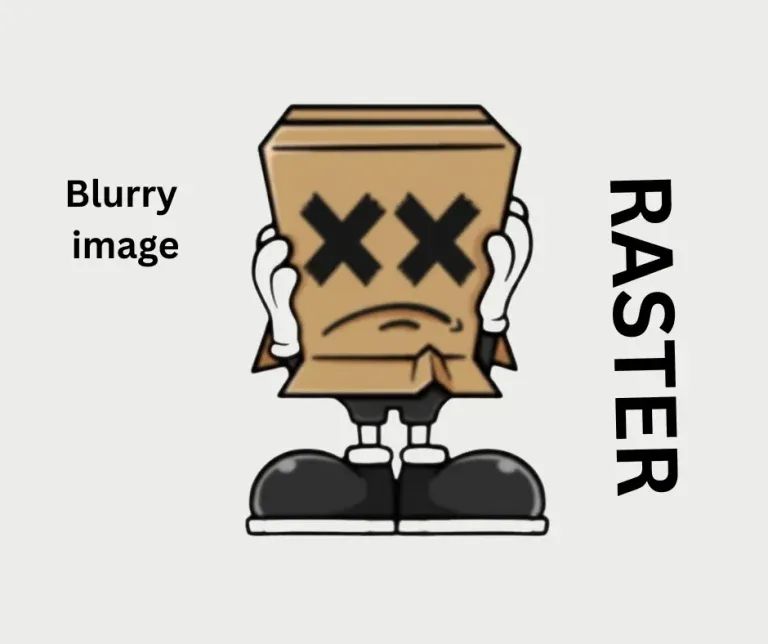
Raster images are what most people are familiar with. When you take a photo with your phone or download an image from the internet, you are looking at a raster file. These are made up of a fixed grid of colored pixels, each storing one specific color value.
The grid is fixed at the moment the image is created or exported. If the image is 1000 pixels wide at 72 DPI and you try to print it at 14 inches wide on a DTG machine, you are asking the printer to spread 1000 pixels across 1008 pixels of space. The printer fills the gaps by interpolating, or guessing, what color each new pixel should be. The result looks soft, blocky, and unprofessional.
When Raster Works Well for DTG
The main advantage of raster for DTG is its ability to handle photorealistic designs. If your design has complex shadows, gradients, skin tones, or thousands of different colors blending into each other, raster is the preferred choice. A 300 DPI TIFF or PNG with a transparent background on a dark garment is the standard format for photographic DTG prints.
When Raster Fails for DTG
If your file is 72 DPI (the standard for web images), it might look fine on a phone screen but will look blocky or blurred when printed on a shirt. For logos, brand marks, and type-based designs, low-resolution raster files produce soft edges and a muddy, unprofessional appearance on fabric.
⚠️ DTG minimum standard: A raster file must be at least 300 DPI at the final print size. A logo that is 2 inches wide at 300 DPI is not suitable for printing at 12 inches wide. Always check your file resolution at the intended output size, not the file's stored resolution.
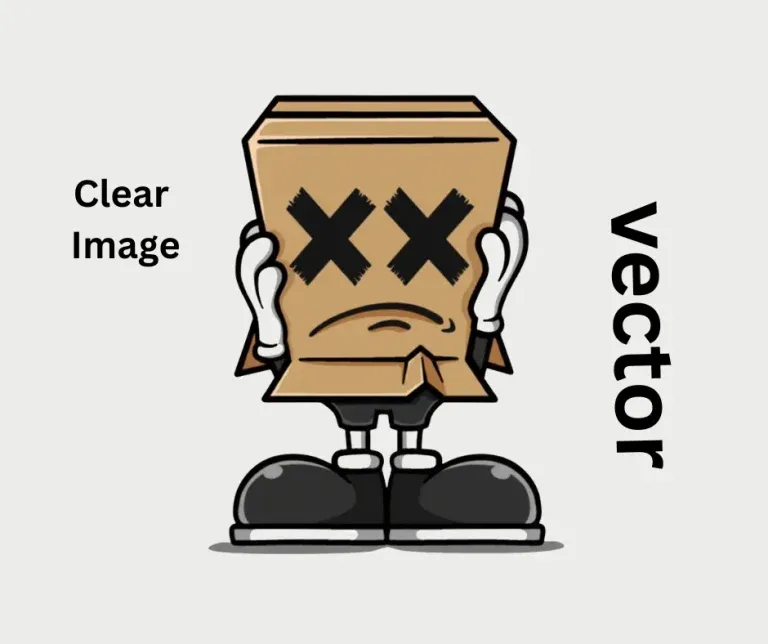
Vector art works on a completely different logic. Instead of pixels, it uses mathematical formulas to create points, lines, and curves. Because it is based on math rather than a fixed grid, a vector file has no resolution limits. You can scale a vector logo from a tiny business card to a massive storefront sign, and the edges will remain perfectly crisp and sharp at every size.
For DTG printing, vector is the king of logos, typography, and sharp-edged illustrations. When you use a vector file, the printer knows exactly where the edge of a letter starts and stops. This results in a retail-ready look that feels clean and high-end. The white underbase (the layer of white ink printed under colors on dark shirts) aligns perfectly with the vector edge, preventing the ink bleed and halo effects that raster files can cause.
Common vector formats for DTG: AI (Adobe Illustrator native), EPS (print industry standard), SVG (web and digital use). All three can be imported into professional RIP software for DTG printing and produce output with perfectly defined edges.
In DTG printing, ink is sprayed through tiny nozzles at extremely high precision. The RIP (Raster Image Processor) software that drives the machine interprets your artwork file and converts it into ink spray instructions. The quality of that interpretation depends entirely on the quality of the artwork you supply.
If the artwork is blurry (common in low-quality raster files), the printer tries to replicate that blurriness by mixing light ink around the edges. This often results in a halo effect around the design or a result that looks muddy and undefined on the garment. On dark shirts where a white underbase is required, soft raster edges cause the white underbase to bleed slightly beyond the color layer, creating a visible white outline around the design.
How to check your file before sending it to a DTG printer:
✅ Sassy Digitizing expert advice: Always check your edges. If you see stairs or jagged steps when you zoom in on your screen, that is exactly how it will look on the finished t-shirt. Never approve a file for production until the zoom-in test passes at 100%.
| Design Type | Recommended Format | Minimum Requirement |
|---|---|---|
| Logo or brand mark | Vector (AI, EPS, SVG) | Clean flat color vector with no gradients |
| Typography and lettering | Vector (text converted to outlines) | All fonts converted to paths before exporting |
| Portrait or photograph | Raster (PNG, TIFF, PSD) | 300 DPI at final print size; transparent background |
| Complex illustration with gradients | Raster (high-resolution PNG) | 300 DPI minimum; transparent background recommended |
| Flat illustration, bold graphics | Vector preferred | Flat colors only; no drop shadows or glow effects |
| Mixed logo and photo design | High-res PNG (rasterized from vector) | 300 DPI; export vector elements to high-res PNG for the final file |
| Low-resolution logo (72 DPI PNG) | Vectorize first | Convert to vector before DTG use; do not upscale the raster |
We often have clients come to us with a low-quality PNG that they want to print on a garment. Our first piece of advice is almost always: let us vectorize this. Converting a shaky raster into a clean vector ensures that the brand identity is protected and allows the DTG machine to do what it does best: print vibrant, sharp, and durable designs.
Whether you are a hobbyist printing one shirt or running a large-scale print shop producing hundreds of orders per week, taking the time to understand your file types will save you time, money, and fabric. If you are ever in doubt, remember that it is always better to start with a vector and convert to raster if needed, rather than trying to fix a low-quality raster file after the fact.
Common file problem: Low-resolution PNG logo
A client provides a 72 DPI PNG of their company logo downloaded from their website. Printing this at 10 inches wide on a t-shirt produces a soft, blurry result with jagged letter edges. The solution is vectorization in Adobe Illustrator or Inkscape, which produces a clean scalable file that prints crisply at any size.
Common file problem: White background on a dark shirt order
A client submits a PNG with a white background for printing on a black t-shirt. The white background prints as a visible white rectangle on the garment. All DTG files for dark shirts must use a transparent background (PNG or PSD). The transparency tells the printer which areas of the shirt to leave uninked.
Common file problem: Vector file with embedded effects
A client provides an AI file that contains drop shadows, glow effects, and gradient overlays. These effects are not supported in vector form by DTG RIP software and must either be removed or the file must be rasterized at 300 DPI with those effects rendered into the pixel data before printing.
| Problem on Garment | Most Likely File Cause | Fix |
|---|---|---|
| Blurry, soft edges on logos or text | Low-resolution raster file used for a logo design | Vectorize the logo in Illustrator; re-supply as AI, EPS, or SVG |
| White halo visible around design on dark shirt | Soft raster edges causing white underbase bleed | Use vector file with precise edges; or increase underbase choke in RIP settings |
| White rectangle printed behind design on black shirt | PNG submitted with white background instead of transparency | Re-export the file as PNG with transparent background using Photoshop or Illustrator |
| Jagged, pixelated edges on printed design | Raster file upscaled from a small size without resampling | Start from a new 300 DPI file at the correct output size; vectorize the logo |
| Colors look dull or washed out on the shirt | File saved in wrong color mode (CMYK instead of RGB) | DTG printers use RGB color. Convert to RGB in Photoshop or Illustrator before supplying |
| Design prints correctly on white shirts but poorly on dark | File not optimized for dark garment underbase printing | Ensure transparent background; check for any near-black areas that should be true black |
Before submitting any file for DTG production, run through these checks. They cover the most common causes of print quality problems and rejected files:
| ✅ | Resolution: 300 DPI at the exact final print dimensions (not at a smaller size) |
| ✅ | Background: Transparent for all designs on dark or colored shirts |
| ✅ | Color mode: RGB (not CMYK; DTG printers use RGB ink systems) |
| ✅ | Edge quality: Zoom to 100% and confirm no jagged or staircase edges on any design element |
| ✅ | Text: All fonts converted to outlines or paths (not live text that depends on system fonts) |
| ✅ | Format: Logo and lettering designs supplied as AI, EPS, or SVG; photographic designs as 300 DPI PNG or TIFF |
| ✅ | Effects: No drop shadows, glows, or gradient effects unless they are baked into a high-resolution raster export |
Vector and raster both have their place in the DTG world. Raster is for the art: the photos, the portraits, and the gradients that require thousands of blending colors to reproduce correctly. Vector is for the brand: the logo, the typography, and the sharp lines that define a professional identity.
Knowing when to use which format and ensuring your files are correctly prepared is what separates professional DTG operators from amateurs. When in doubt, start with vector and convert to raster if your design requires it. Never go the other direction.
Sassy Digitizing provides professional vector conversion and artwork preparation services for DTG printing. Clean paths, correct color modes, transparent backgrounds, and production-ready delivery in AI, SVG, EPS, and high-resolution PNG formats.
Fast turnaround with free revisions until your artwork is print-ready.
Senior Quality Control (HOD)
As the Head of Quality Control at Sassy Digitizing, Keith brings over 12 years of hands-on commercial embroidery experience to the table. He is our resident problem-solver, specializing in the technical nuances of stitch density, pull compensation, and complex digitizing. When he's not establishing quality standards for 3D puff and appliqué, you'll find him perfecting the art of small lettering to ensure every stitch counts.
Expertise:
Lightning-Fast Delivery
Get your file in 2–4 hours, every time.
Expert Quality
38+ expert digitizers with years of experience.
24/7 Support
We're here to help, anytime you need us.
Secure & Confidential
Your files are safe with us. Always.
Upload your artwork now and let our experts turn it into perfection, fast.
1,794+
Happy Clients
4.7★
Client Rating
38+
Expert Digitizers
6+
Years Experience
© 2026 Sassy Digitizing LLC. All Rights Reserved.

Scale your apparel brand or embroidery shop with the best embroidery digitizing service of 2026. Sassy Digitizing comple…

Stop ruining structured hats with flat sew files. Discover the essential digitizing secrets for curved 3D surfaces inclu…

High embroidery stitch density is the most common reason designs come out stiff, raised and bulky. This guide covers the…