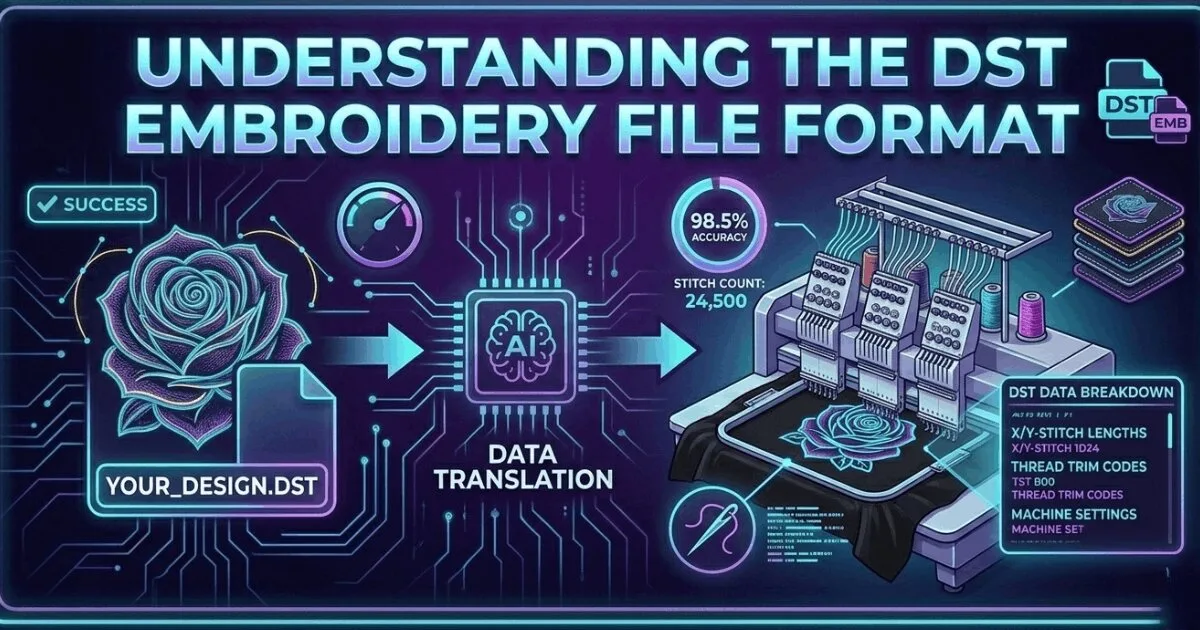
What Is a DST File? The Commercial Embroidery Format Explained
A DST file is the Tajima stitch format used by commercial embroidery machines worldwide. Learn what it contains, which m…
Read More
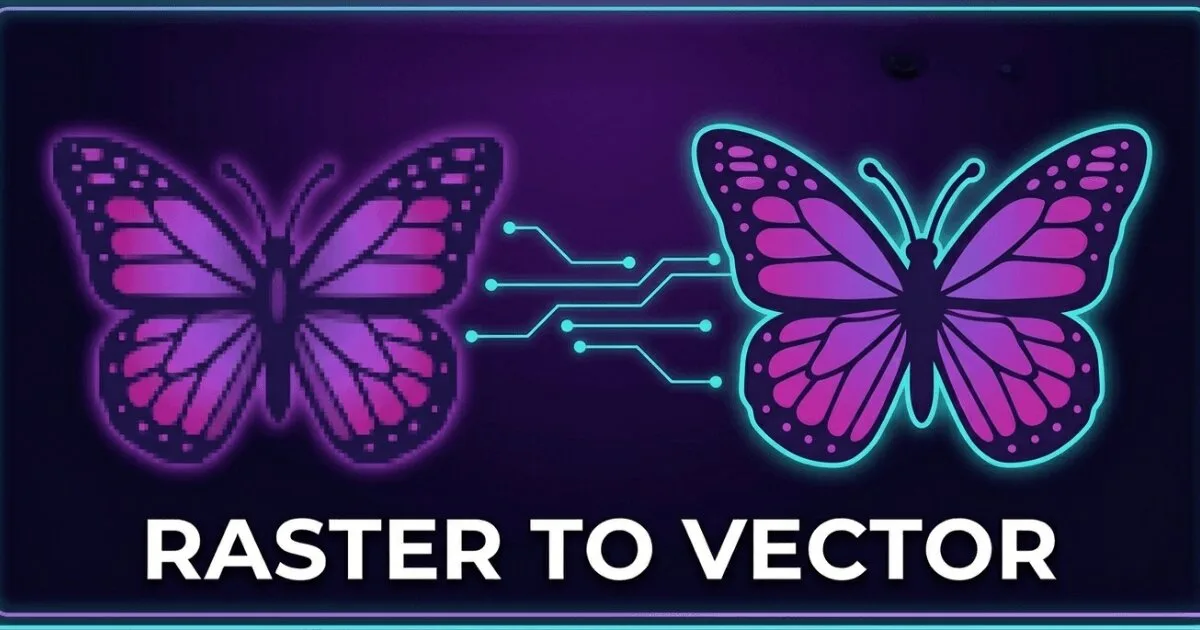
PNGs are pixel-based, while vector files use paths. Print shops, embroidery digitizers, and screen printers often reject PNGs or charge to convert them to vector. Knowing the difference saves money, and this guide explains both formats and your options if you only have a PNG.

4.7/5
Guaranteed File Compatibility & Industry Standards



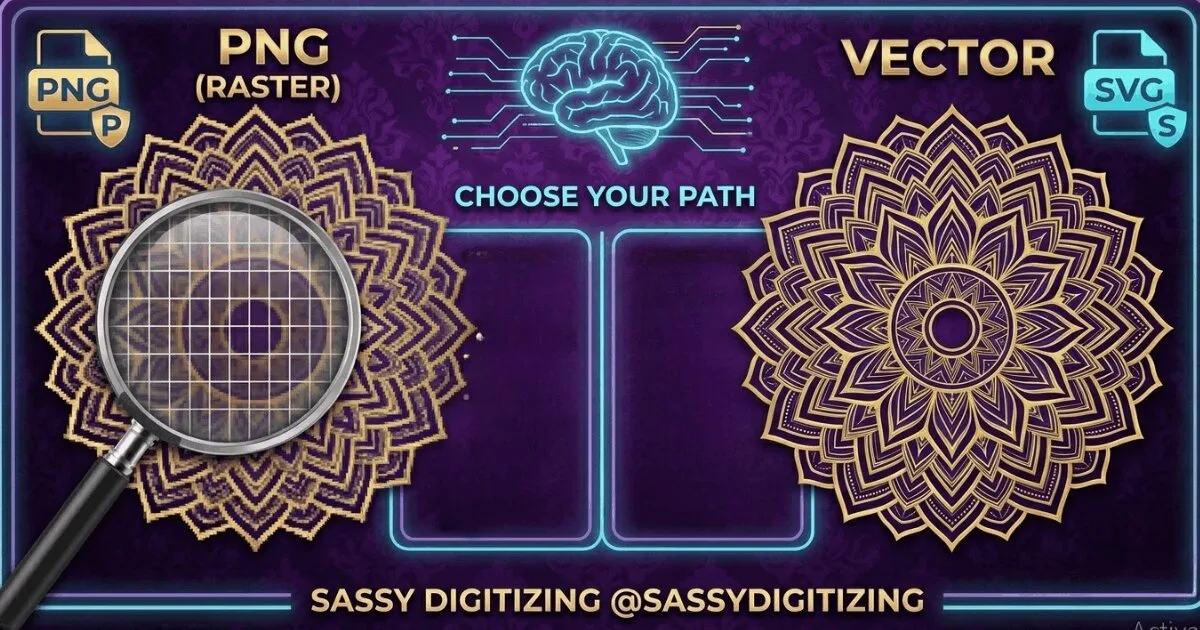
A PNG is a raster image: it stores your logo as a grid of pixels at a fixed resolution. A vector file stores your logo as mathematical path objects that scale to any size.
PNG Degrades When Scaled: increases in size create blurring and pixelation.
Vector Scales Infinitely: sharp output at any size from business card to billboard.
Production Needs Vector: embroidery digitizers, screen printers and sign makers require vector.
We Convert PNG to Vector by Hand: manual tracing from $10, delivered in 2 to 8 hours.
Upload Artwork NowIncrease a PNG beyond its original resolution and the pixels become visible: edges blur, text becomes unclear and fine detail is lost. This is why a logo saved as a website JPG fails when submitted for print.
AI, EPS and SVG vector files use mathematical paths. Scale to any size: billboard, vehicle wrap or business card, the output is always sharp.
Embroidery digitizers, screen printers, vinyl cutters and sign makers all require vector. A PNG submitted to these suppliers is either rejected or charged for redraw.
Manual PNG to vector conversion in Adobe Illustrator. No auto-trace. Clean production-ready paths delivered in 2 to 8 hours from $10.
A PNG file is a grid of pixels, each with a specific colour value. The total number of pixels is fixed at the time the file is saved. A 300dpi PNG has 300 pixels per inch. When you display it at its native size or smaller it looks sharp. When you enlarge it beyond its original size, the software has to guess what pixels to add between the existing ones, which produces the blurring and pixelation associated with low-quality image enlargement.
A vector file stores the logo as a set of mathematical instructions. Instead of saying this pixel is red, it says draw a circle with this radius centred at these coordinates and fill it with this colour. Because the instructions are mathematical, the file can recalculate the design at any size and the output is always perfectly sharp. A vector logo that looks correct at 1 centimetre will be equally sharp at 10 metres.
Best for web, digital, and screen display
Required for all professional production
Use PNG when the logo will be displayed on a screen, embedded in a digital document, or placed on a website. Use vector when the logo needs to appear on a physical product through any production process. The simplest test is this: if the artwork needs to be cut, printed at large format, or used for embroidery digitizing, you need a vector file. If it only needs to appear on a screen, PNG works.
💡 If your client sends you their logo as a JPG or PNG and you need to produce garments or signage, convert it to vector first. Running a production job from a low-resolution raster file always produces inferior results.
✓ Do this:
✗ Avoid this:
Adobe Illustrator and other vector software have auto-trace features. However, auto-trace on complex logos produces messy paths that fail in production. Curved edges become jagged. Text strokes are approximated poorly. Fine details are lost or over-simplified. Manual vector conversion by a professional produces clean, accurate paths. Sassy Digitizing offers professional manual PNG to vector conversion from $10.
💡 If you zoom in to 800 percent on the result of an auto-trace and the edges are not perfectly smooth, the paths are not suitable for production. Manual conversion fixes this.
✓ Do this:
✗ Avoid this:
| Use Case | PNG Works | Vector Required | Notes |
|---|---|---|---|
| Website header | Yes | Not required | PNG at correct display resolution works fine |
| Social media post | Yes | Not required | PNG at 1080x1080 or similar works |
| Screen printing | No | Yes | PNG cannot be colour-separated reliably |
| Vinyl cutting | No | Yes | Cutting machines cannot read pixel paths |
| Embroidery digitizing | Possible at high resolution | Preferred | Vector produces better digitizing results |
| Large format signage | Only at very high resolution | Strongly preferred | Vector ensures perfect edge quality at any size |
| Laser engraving | Sometimes | Preferred | Vector produces cleaner cut paths |
Need your PNG converted to a clean production-ready vector file? We deliver in 2 to 4 hours.
Get Print-Ready FilesSenior Graphic Illustrator and Vector Artist
With a decade of experience in digital illustration, Rory is the go-to expert at Sassy Digitizing for complex artwork transitions. He specializes in the intricate process of converting raster images into clean and production-ready vectors. Rory’s deep understanding of file architecture, specifically the nuances between PNGs and scalable curves, ensures that every design maintains perfect clarity regardless of size or application.
Expertise:
Go behind the scenes of our design process. Discover technical tips for embroidery digitizing and best practices for high-quality vector conversions.
Convert your artwork into clean scalable vector files built for commercial production and printing.
Everything you need to know about our embroidery digitizing service, pricing, file formats, turnaround times and revision policy.
Yes, PNG images can be converted to vector format through manual tracing in Adobe Illustrator. PNG to vector conversion means manually rebuilding your PNG image as clean vector paths rather than pixels. Sassy Digitizing provides professional manual PNG to vector conversion starting from $10, with delivery in 2 to 8 hours depending on design complexity. We do not use auto-trace software which produces jagged, unusable results. Every file is hand-traced by skilled vector artists for production-quality output.
Yes, you can upload a PNG file and it will be manually converted into professional vector formats including AI (Adobe Illustrator), EPS (Encapsulated PostScript), and SVG (Scalable Vector Graphics). The conversion process is done entirely by hand in Adobe Illustrator without auto-trace software, ensuring clean paths and smooth curves. Simple logos start at $10 with typical delivery in 2 to 8 hours. All vector formats (AI, EPS, SVG) are included in every order at no extra cost.
Yes, PNG resolution significantly affects vector conversion accuracy and quality. Higher resolution PNGs (300 DPI or more) produce more accurate results because edges and details are clearer. Lower resolution images can still be converted but may lose fine detail such as small text or sharp edges. We always review files before starting and notify you if quality is insufficient.
Recommended vector formats depend on use case: AI or EPS for embroidery and print workflows, SVG for web and vinyl cutting, and EPS/AI for large format printing and signage. We provide all major formats in every conversion so your file works across all production systems without rework.
A PNG is a pixel-based raster image that loses quality when scaled. A vector file is built from mathematical paths and curves, allowing infinite scaling without quality loss. Vectors remain sharp at any size and are used for embroidery, screen printing, vinyl cutting, and large format printing, while PNGs are limited to their original resolution.
Upload your artwork and get a machine-ready embroidery file in just 2 to 4 hours. No upfront payment. Pay only after you approve. Free revisions included!
2–4 Hours
Rush Turnaround
100% Approval
Pay After Approval
Free Revisions
Until You're Happy
Lightning-Fast Delivery
Get your file in 2–4 hours, every time.
Expert Quality
38+ expert digitizers with years of experience.
24/7 Support
We're here to help, anytime you need us.
Secure & Confidential
Your files are safe with us. Always.
Upload your artwork now and let our experts turn it into perfection, fast.
1,794+
Happy Clients
4.7★
Client Rating
38+
Expert Digitizers
6+
Years Experience
Clients return because files run clean on machines and delivery timelines are consistently met. 4.7-star average on Google and Trustpilot. 54273+ designs delivered.


Wonderful Digitizer! FAST and Efficient. Wonderful Communication

Quick response. Excellent quality files. Reasonable rates.

I've been working with Sassy for almost a year now. There service and quality of work is top notch!!

Great quality, great price and great to work with! Have used them twice and will continue to use them in the future.

Great personal service. Quick, reliable quality work. A very customer oriented operation. Thank you!

Always top notch service from these guys! They do such a wonderful job. Have been using them a long time

It is very simple to make edit requests. Thank you

We just starting working with Sassy Digitizing. They are very responsive and have provided great stitch files. Even if a file needs to be edited they are quick to respond. So far so good!

Great communication. Easy and transparent process. Super quick too! We used Sassy Digitizing to help get some image files converted for an event t-shirt. End result was perfect. Definitely recommend to others.

I highly recommend Sassy Digitizing. Easy to submit, quick turnaround and stitches out beautifully! I use them for all of my digitizing needs.

The sassy team was super responsive, communicated well, and turned each project around super quickly. Highly recommend.

I've been working with Sassy for almost a year now. There service and quality of work is top notch!!

Great files and quick turnaround time.

Quick and easy, very painless. I will be using this service from now on.

Sassy does all of my digitizing and each logo stitches out beautifully

Clothing authority always has the product I need has great shipping prices and timely delivery
Francis Brady
Top notch service at a low price! Can't beat that! Been using these guys for a while now. They get the job done every single time. Never a disappointment! Thank you guys as always!
Joe Hamilton
They are always good quality and if there is something I do not like - they fix it
Becky Wof
Fast turnaround! Stitches beautifully.
Vickie Nimer
This was my first time doing business with AOGU apparel so I ordered a sample. I was very pleased with the sample and made a bulk order. I was very impressed with the quality, style, and design of the merchandise and so was my customers. I do plan to make more orders in the future.
Alquin Parker
I've been very satisfied with everything I've ever had done. Convenient, easy to use website makes it even better.

MsNform
They strive hard to please, their customers. Very reasonable priced also. That is who I use when I need something done, thank you much, Paula
Paula Rudolph
GREAT COMPANY TO WORK WITH. EFFICIENT, QUICK AND VERY PROFESSIONAL.
nicholas tolentine
From the beginning of my project til the end, John was extremely responsive and customized all my images perfectly. I will use Sassydigitizing for all my custom work in the future. They are professional and timely.
Cheryl Jokich
MSP Embroidery and More have used Sassy Digitizing for over two years. They provide top notch service as reasonably priced. They are always willing to go over and above the call of duty to assist us. They are also very accommodating. I highly recommend them and will continue using them. Thank you Sassy

Marshalle Peay
They always do a great job and are super easy to work with. Always willing to make quick fixes if needed as well. Highly recommend!

Keli Casey
I love Sassy Digitizing! They give professional, prompt service. They cater to their customers to provide them with the best service possible!

Dawn Bradley
Very fast response time and I'm happy with the result. Just make sure you know exactly what you want and be very clear with images, color codes etc 🙌🏼 Will use again for sure!

Chris Law
I have never worked with such a kind, knowledgeable company. Ben is absolutely amazing and extremely fast at completing any design you throw his way with great file quality. Very fast responses and they go above and beyond. I would recommend sassy digitizing to everyone who needs any design
Ash
Sassy Digitizing is the best in the industry! Great Quality and fast turnaround! They have amazing attention to detail and are always following up to make sure the files sew as we expected! I've worked in the industry for 25yrs and my only regret is not partnering with Sassy sooner!!!

Absolute Screen Printing